
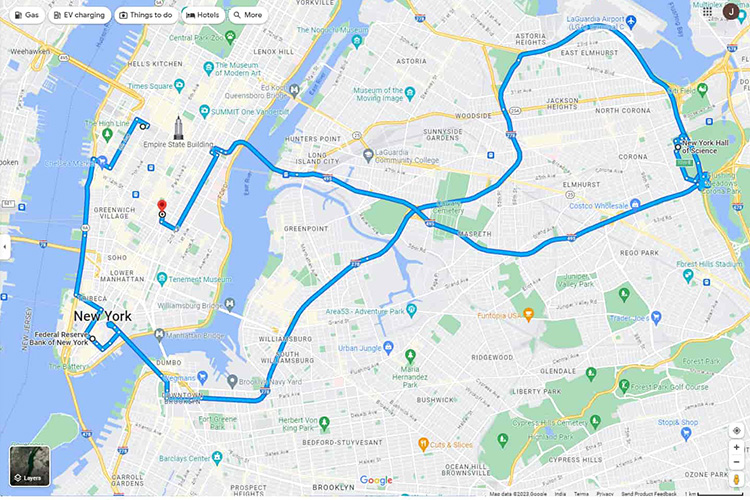
You are holding something pretty powerful in your hand right now. Yes, your phone is pretty powerful, but Google Maps is pretty powerful and packed with features beyond just showing you directions.
Here are 10 amazing things Google Maps can do:
1. Live Traffic Updates & ETAs
Google Maps provides real-time traffic updates and predicts the estimated time of arrival (ETA) based on traffic conditions. It adjusts your route dynamically to avoid congestion, accidents, or road closures.
2. Explore Local Businesses and Reviews
You can search for restaurants, cafes, hotels, and shops, complete with user reviews, ratings, and photos. It helps you make informed decisions about where to go based on other people’s experiences.
3. Indoor Maps (Airports, Malls, etc.)
Google Maps has indoor maps for places like airports, shopping malls, and museums. You can see floor layouts to help navigate inside large, complex buildings. A friend and I thought about this years ago, a map of major malls in the U.S., of course we never did anything about it, and now it’s a bit late, since Google Maps does a super job of it.
4. Street View
You can virtually “walk” down streets, check out landmarks, and explore areas in detail with Google’s Street View. It’s helpful for checking out places before you visit or for exploring remote areas from the comfort of home. I like to do this often before traveling – you know, checking out lay of the land. I also like to see past places I lived, to see what the old neighborhoods look like now.
5. AR Walking Directions (Live View)
Using your camera, Google Maps can provide augmented reality (AR) walking directions. This feature overlays directional arrows and guidance over your live surroundings, making it easier to navigate on foot, especially in unfamiliar areas.
6. Offline Maps
You can download areas of Google Maps ahead of time and use them offline when you don’t have internet access. This is a lifesaver when traveling abroad or in remote locations with no mobile signal.
7. Multiple Stops on a Route
When planning a road trip, Google Maps allows you to add multiple stops along your route. You can drag and drop destinations to create a personalized itinerary.
8. Google Maps Timeline
Your timeline lets you see the places you’ve visited over time. It tracks your past trips, including routes, photos taken, and even locations you stopped at. It’s like a personal digital journal of your travels, which you may, or may not like. You can turn this feature off, of course.
9. Pedestrian, Bicycle, and Transit Directions
Google Maps isn’t just for cars! It gives you walking, cycling, and public transportation directions as well. You can also see how long it will take to walk, bike, or take a bus, train, or subway.
10. Google Maps “For You” Feature
Based on your preferences, past activities, and locations you’ve searched for, the “For You” tab on Google Maps recommends places you might like—whether it’s a hidden gem of a restaurant or a cool spot to visit.
Do any of these stand out to you, or have you used any of these features already?
RECEIVE 10 WITH TOM in your email each time I publish. Sign up here.

 10withtom.com